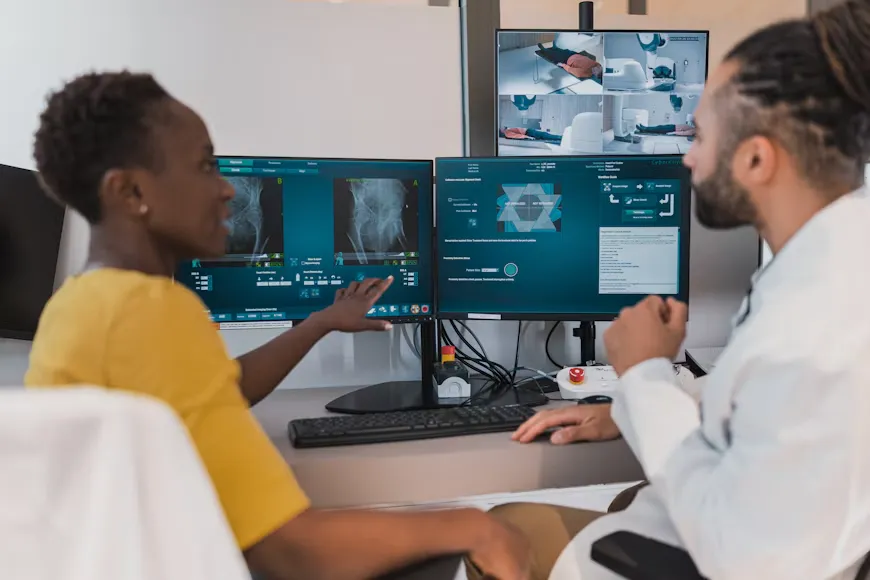
For most clinicians, the visit does not end when the patient leaves the room. There is a note to finish, a plan to write up, and often a summary or set of instructions the patient will need to take home. Two features of modern AI documentation tools aim at exactly this problem: real-time medical scribe AI, which builds the note while the conversation is still happening, and the AI scribe with patient summary generator, which turns the same conversation into something the patient can actually use.
Both are attractive, and both are easy to misjudge. Speed does not guarantee accuracy, and a friendly summary is not the same as a correct one. This post explains what each feature does, what recent research says, where the risks sit, and how Ontario clinicians can adopt them with their eyes open.
What “Real-Time” Actually Means
Real-time medical scribe AI generally means the tool transcribes and organizes the conversation as it happens, rather than waiting until the visit is over to process a recording. In practice, the details vary. Some tools stream audio continuously and update a draft note in near real time. Others stream the transcript live but generate the structured note only when you end the encounter, usually within seconds to a minute or two.
The benefits are easy to see. The draft is usually ready by the time the patient leaves, so review can happen between visits instead of at the end of the day. Some clinicians also find it helpful to glance at the running draft and correct something while the patient is still there, such as a misheard medication name.
There are trade-offs. A live display can pull the clinician’s attention back toward the screen, which defeats one of the main reasons for using a scribe. Real-time processing depends on a stable connection and device. And a draft that appears mid-visit is still a draft: it can contain errors, and a patient who glimpses it may take it for a final record. Clinicians should decide up front whether the live view is for them alone or shared with the patient, and keep the tool from becoming a distraction.
What a Patient Summary Generator Does
An AI scribe with patient summary generator produces a second document from the same visit: a plain-language summary written for the patient rather than the chart. It typically covers what was discussed, the diagnosis or working impression, any medication changes, tests ordered, follow-up plans, and warning signs that should prompt the patient to seek care.
This is different from the clinical note. The clinical note is written for other clinicians and the medical record. The summary is written for a patient at home, perhaps stressed, perhaps sharing it with family, who needs to remember what to do. Different audiences call for different language, different detail, and different levels of caution.
Summaries can be delivered on paper, through a patient portal, or by secure message, depending on your setup. Some tools can also produce them in more than one language, which raises additional accuracy and review questions.
Why Patient Summaries Matter
Patients often leave visits remembering only part of what they were told. Forgotten instructions and misunderstood plans contribute to missed follow-up, medication mistakes, and unnecessary calls to the clinic. A clear written summary gives patients something to return to, and gives family members or caregivers a reliable reference.
For clinicians, writing individual patient summaries is one of those tasks that everyone agrees is valuable and few have time to do well. Automating the first draft is appealing precisely because it turns a task that is often skipped into one that can happen for every visit.
What Recent Research Suggests
The evidence on AI-generated patient summaries is still early, and it points in more than one direction.
A 2026 study in the Journal of Medical Internet Research analyzed more than a thousand patient visit summaries generated by a commercial AI scribe in an orthopedic surgery clinic. The summaries averaged about a ninth-grade reading level, and only around 14 percent met an eighth-grade standard. National recommendations for patient education materials generally call for a sixth-grade level or lower. The authors concluded that plain-language optimization and testing with actual patients are needed. It was a retrospective, single-specialty analysis of one platform, so it does not describe every tool, but it is a useful reminder that “plain language” is a claim to check, not an assumption.
On the more encouraging side, research presented at a 2026 hospital medicine conference found that AI-generated after-visit summaries for hospital patients were rated better than clinician-written ones on measures such as understandability, actionability, and readability, and no increased risk of harm was found. That work was preliminary, focused on hospital discharge rather than clinic visits, and the researchers were repeating it with patients as the raters.
Taken together, the picture is promising but unsettled. Well-designed summary generators can help, and poorly tuned ones can produce text that is too complex or subtly wrong. Your own review and your own testing matter.
The Risks to Manage
-
Wrong or reversed instructions. A summary that misstates a dose, frequency, or a “do not” instruction is more dangerous than a clumsy sentence in the chart, because the patient will act on it.
-
Reading level too high. Summaries that sound clinical or use long sentences defeat the purpose. Ask what reading level the tool targets and check samples yourself.
-
Things discussed but not decided. A conversation about a possible test can turn into “you will have a scan” in a summary. Patients can be frightened or misled by options presented as plans.
-
Results and sensitive content. A summary that mentions an unreviewed result, a suspected diagnosis, or a mental health concern needs clinician review before it reaches a portal or inbox.
-
Tone. A summary should be clear and respectful. Overly cheerful or overly alarming phrasing can misrepresent the situation.
-
Wrong recipient or wrong channel. A summary sent to the wrong person or an unsecured email address is a privacy incident.
-
Errors that look polished. Fluent text lowers our guard. The more readable the summary, the more tempting it is to skim.
A Realistic Example
A patient taking a blood thinner comes in with knee pain. You explain that she should avoid ibuprofen and similar anti-inflammatory medicines, and that acetaminophen is a safer choice. Your real-time scribe drafts the note quickly and correctly. The patient summary, generated in the same pass, includes a friendly line about pain relief: “You can take ibuprofen or acetaminophen for knee pain as needed.”
Nothing about that sentence looks wrong. It is warm and readable. But it reverses your advice. A patient on a blood thinner who follows it could be put at risk. Catching it requires reading the summary as the patient would and checking every medication statement against what you actually said. That check takes less than a minute when the tool is designed for it and the clinician builds it into the routine.
How the Two Features Work Together
Used together, the two features share one advantage: both draw on a single recording of the visit, so the clinical note and the patient summary stay consistent with each other. That consistency has a downside as well. If the tool misunderstands something once, the mistake can appear in both documents, and a clinician who reviews only the note may miss that it also reached the patient.
A sensible approach is to treat them as two separate review steps. Review the note for clinical accuracy. Then review the summary for clarity, tone, and safety from the patient’s point of view. If your clinic is new to these tools, consider starting with real-time notes alone for a few weeks, then adding patient summaries for a limited set of visit types, such as routine follow-ups, before expanding to more complex encounters.
Privacy and Consent in Ontario
Both features process personal health information, so the obligations under Ontario’s Personal Health Information Protection Act (PHIPA) apply. You remain responsible as the custodian, even when a vendor hosts the software. The Information and Privacy Commissioner of Ontario’s January 2026 guidance on AI scribes emphasizes governance, vendor accountability, transparency with patients, and limits on secondary use of patient data.
Real-time capture means you should be clear with patients that the conversation is being processed live and how they can pause or decline. For summaries, think about delivery: which channel is used, whether the patient has agreed to receive information that way, and what happens when a family member is present. Check current IPC guidance on communicating health information electronically, and confirm where the vendor stores data, how long it is retained, and whether it is used to train models.
Eight Questions to Ask a Vendor
-
How does real-time processing work? Ask whether transcription is streamed, when the structured note is generated, and what happens if the connection drops.
-
Can I control what the patient sees? Look for options to hide the live draft and to hold summaries for review before release.
-
What reading level does the summary target? Ask for sample outputs and whether readability is tested.
-
How does it handle medications and instructions? Ask how doses, frequencies, and “avoid” instructions are checked or flagged.
-
Does it separate decisions from discussion? A good tool distinguishes what was decided from what was merely mentioned.
-
Which languages are supported for summaries, and how are they validated?
-
How are summaries delivered? Confirm secure channels, portal integration, and audit logs.
-
What are the data terms? Get residency, retention, subcontractors, and model training policies in writing.
A Workflow That Works
Before the visit. Explain the tool and obtain consent. Decide whether the live view will be visible and where the device will sit.
During the visit. Speak naturally, and state key decisions clearly, such as medication changes, tests ordered, and follow-up timing. Say out loud what you are and are not recommending.
After the visit. Review the clinical note first, then read the patient summary as if you were the patient. Check every medication, dose, date, and “do not” instruction. Remove anything that was discussed but not decided. Confirm the tone and reading level are appropriate. Only then release it.
Over time. Keep a short log of corrections. Recurring errors, such as reversed instructions or overly complex language, are useful feedback for the vendor and for your own settings.
The Bottom Line
Real-time medical scribe AI can give clinicians a finished draft when the visit ends, and an AI scribe with patient summary generator can send patients home with something clearer than a rushed verbal explanation. Both features are worth exploring, and both deserve the same discipline: review before signing, review before sending.
Choose tools that show their work, test readability and accuracy with your own patients, protect privacy from the first recording to the last email, and keep the responsibility where it belongs. The best summary is not the most polished one. It is the one a patient can understand and safely follow.
This post is for general information only and is not clinical, legal, or privacy advice. Confirm your obligations under PHIPA with the Information and Privacy Commissioner of Ontario, the CPSO, and the CMPA, and validate any tool in your own practice before adopting it. Research findings cited here come from specific settings and may not apply to every product or clinic.